Guide
PiAware on Apple TV: live flight radar on the big screen
Updated October 2026
A live air-traffic picture is the best kind of ambient display: always changing, occasionally dramatic, and genuinely about the place you live. Overhead 1090 puts a full-screen radar map on your Apple TV, fed by the ADS-B receiver on your own network — every aircraft your antenna hears, on the biggest screen in the house.
What it looks like
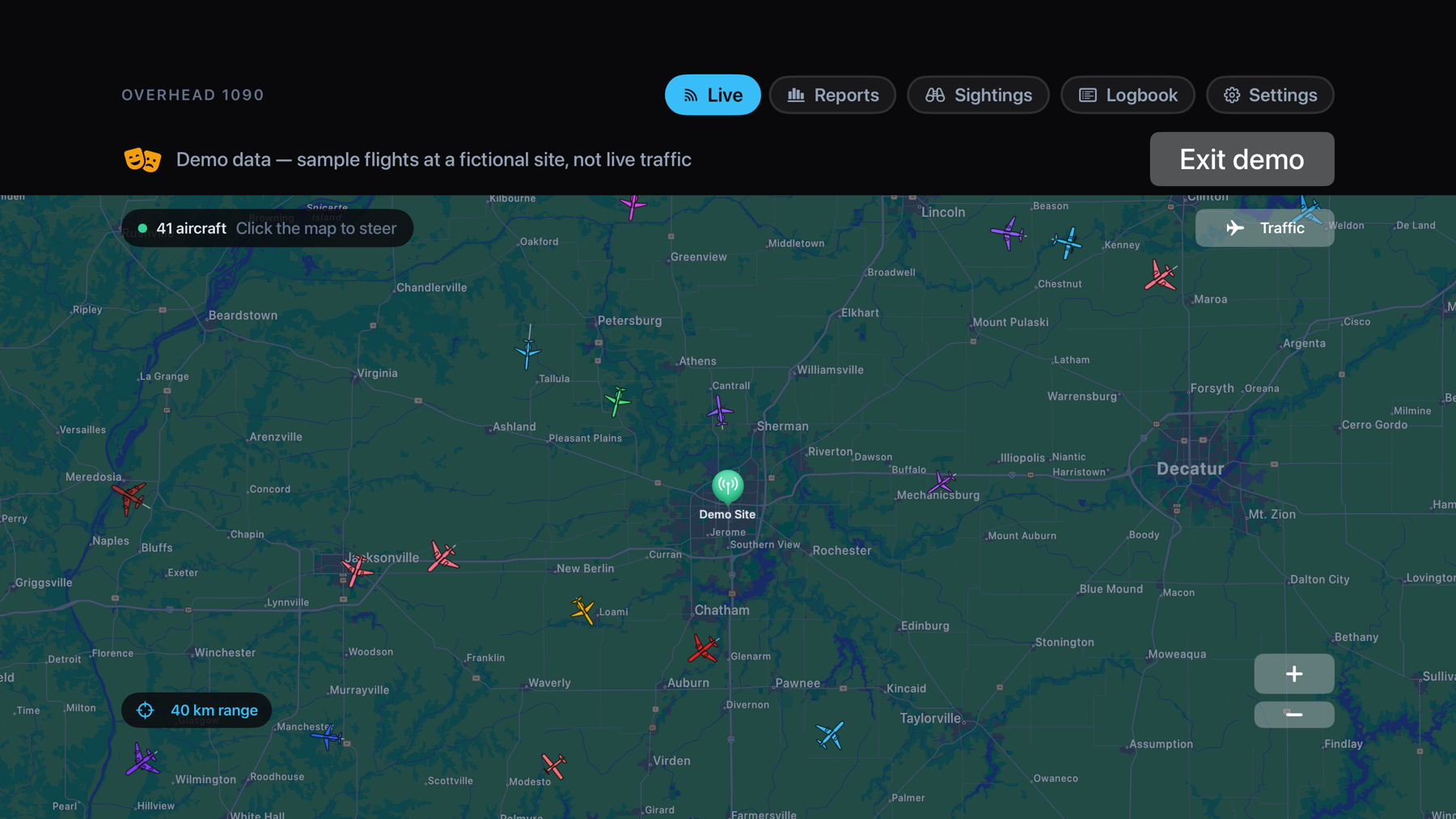
The map fills the screen edge to edge, centered on your antenna: range rings, type-coded aircraft silhouettes with headings, and trails. A summonable traffic list shows callsigns, altitudes, and speeds without leaving the map. Steer and zoom with the Siri Remote.
Setup on the TV
- Install Overhead 1090 on Apple TV — one purchase covers iPhone, iPad, and Apple TV.
- Choose Connect a receiver. The app can discover receivers on your network automatically, or you can type the address.
- No receiver yet? Choose Explore with demo data and the scope comes alive with realistic sample traffic.
More than the map
The TV app has the full experience, not a viewer: daily reports of traffic over your house, a sightings feed for emergency squawks and rare airframes, the complete logbook of everything you've received, and settings for receivers, units, and polling — all driveable from the remote.
What feeds it
Any dump1090-compatible receiver: PiAware, dump1090-fa, readsb, and most Raspberry Pi ADS-B builds. If you're starting from a Pi, the PiAware guide covers connecting in about a minute. Everything stays on your network — no cloud, no account, and an App Store privacy label of Data Not Collected.
Get Overhead 1090 on the App Store — $4.99, one purchase for all three platforms.